it is in the title, meta description, first sentence, headings, FAQs and conclusion.
A Shopify store audit is the fastest way to find out why your store gets traffic but not enough sales. Instead of guessing, you review speed, search visibility, user experience, product pages and checkout one layer at a time, then fix the problems that cost you the most revenue first.
If you have ever redesigned a theme, added another app or increased your ad budget and still watched your conversion rate stay flat, this guide is for you. Below you will find a practical 12-step checklist, a simple way to prioritise fixes, a comparison of DIY and professional audits, and answers to the ten questions store owners ask most.
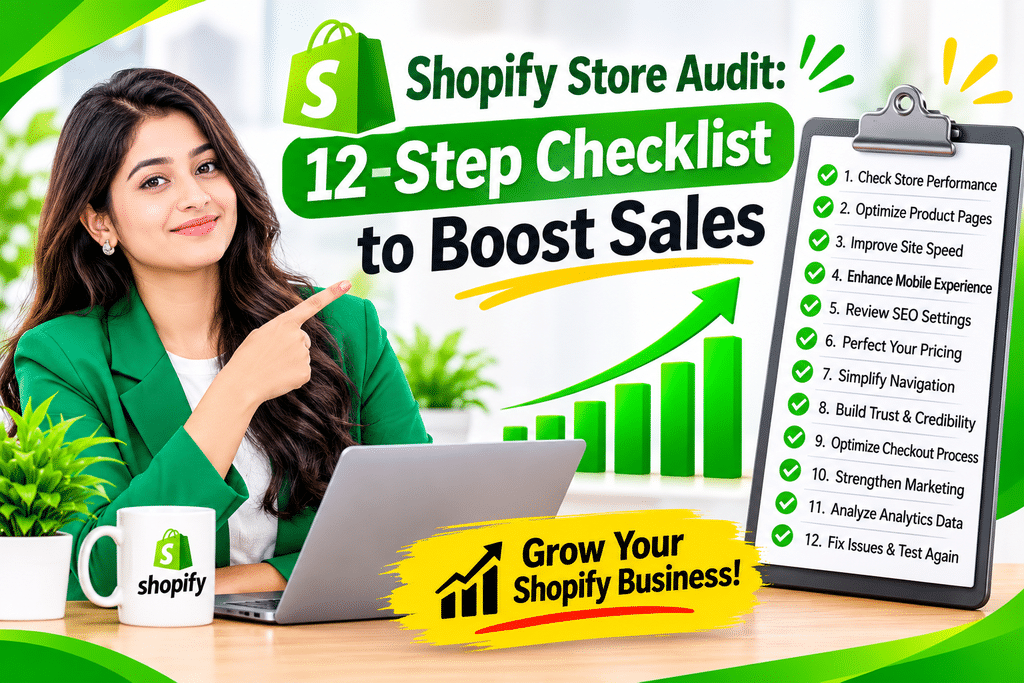
Quick Answer: What Is a Shopify Store Audit?
A Shopify store audit is a structured review of your online store’s technical health, SEO, design, content, and sales funnel. It identifies what slows visitors down, what stops Google from ranking your pages, and what prevents shoppers from completing a purchase. The result is a prioritised action plan, not just a list of errors.
Why a Shopify Store Audit Matters More Than Ever
Every store changes constantly. New products go live, apps are installed and removed, collections are reorganised, and Google updates how it ranks pages. Small problems pile up quietly: a bloated app script here, a duplicate title there, a confusing shipping message on the cart page.
Industry guides such as the Shero Commerce 15-minute audit suggest that the average Shopify store converts at roughly 1.4%, while the top performers reach about 3.2%. That gap is rarely caused by one big mistake. It usually comes from dozens of small leaks across the whole journey, which is exactly what a Shopify store audit is designed to uncover.
A good audit helps you:
- Find speed and mobile issues that push shoppers away
- Fix technical SEO problems that block organic traffic
- Improve product pages so they answer buyer questions
- Remove friction from cart and checkout
- Spend your ad budget on a store that actually converts
- Build a clear roadmap instead of random tweaks
When Should You Run a Shopify Store Audit?
You do not have to wait for a disaster. Run a full audit at these moments:
- Before a redesign or theme change, so you know what to keep and what to fix
- After a traffic or sales drop that you cannot explain
- Before a big sales season such as Eid, Black Friday or Cyber Monday
- After installing several new apps, which often slow the store down
- Every quarter as a routine health check, with a lighter monthly review
The 12-Step Shopify Store Audit Checklist
Work through the steps in order. Each one lists what to check and what “good” looks like. Take notes and screenshots as you go, because they become your action plan later.
Step 1: Set Your Goals and Baseline Numbers
Before you change anything, record where you stand. Open Shopify Analytics and Google Analytics 4 and note your conversion rate, average order value, add-to-cart rate, cart abandonment rate, and top traffic sources for the last 90 days.
Without a baseline you cannot prove that your fixes worked. Also decide what matters most right now: more traffic, a higher conversion rate, or a bigger basket size. That choice shapes how you prioritise later.
Step 2: Check Site Speed and Core Web Vitals
Speed is the foundation of every Shopify store audit. Run your homepage, a top collection page and your best-selling product page through PageSpeed Insights. Google’s Core Web Vitals guidance defines good targets: Largest Contentful Paint (LCP) within 2.5 seconds, Interaction to Next Paint (INP) under 200 milliseconds, and Cumulative Layout Shift (CLS) below 0.1.
Common Shopify speed problems include:
- Oversized hero images and unoptimised product photos
- Too many apps loading scripts on every page
- Heavy sliders, pop-ups and video backgrounds
- Unused theme sections and leftover code from deleted apps
If your scores are poor, a dedicated Shopify speed optimization service can fix the underlying causes instead of masking them.
Step 3: Test the Mobile Experience
Most Shopify shoppers browse on phones, so test your store on a real device, not only a desktop browser. Tap every menu item, open filters, add a product to the cart and complete a test checkout.
Look for tiny buttons, text that needs zooming, sticky bars that cover content, and pop-ups that cannot be closed easily. If a task takes more than a few taps on mobile, it is costing you sales.
Step 4: Review Crawlability and Indexation
This is where your Shopify store audit overlaps with technical SEO. Open Google Search Console and check the Pages report for indexing errors, excluded URLs and crawl problems.
Confirm that:
- Your sitemap (yourstore.com/sitemap.xml) is submitted
- Important products and collections are indexed
- Your robots.txt is not blocking key pages
- Canonical tags point to the correct versions, which matters because Shopify can create several URLs for one product
- Out-of-stock and discontinued pages are handled with redirects or clear messaging
Step 5: Audit On-Page SEO
Now review the elements that tell Google what each page is about. A strong Shopify SEO audit covers:
- Unique title tags under 60 characters on every key page
- Meta descriptions near 160 characters that invite clicks
- One clear H1 per page, followed by logical H2 and H3 headings
- Descriptive, keyword-aware URLs
- Image file names and alt text that describe the product
- Internal links between related collections, products and blog posts
Google’s own SEO Starter Guide is a reliable reference for these basics. If you want an expert to handle the full process, explore our Shopify SEO services.
Step 6: Evaluate Product Page Quality
Product pages decide whether a visitor becomes a customer. Check each top product for:
- Original descriptions written for people first, not copied from the supplier
- High-quality images from several angles, plus lifestyle shots or video
- Clear price, variants, shipping time and return policy above the fold
- Customer reviews and star ratings
- Specific benefits, not only features
- A visible, unmistakable Add to Cart button
Unique, helpful content also protects you against duplicate-content issues and helps your pages appear in rich results.
Step 7: Inspect Collections and Navigation
Shoppers should find what they want in two or three clicks. Review your main menu, collection structure, filters and search bar.
Ask yourself: Are category names clear? Do filters match how people actually shop? Does the search bar handle typos and show useful results? Are best sellers and new arrivals easy to reach? Merge thin collections with only a few products and give every important collection a short, helpful introduction.
Step 8: Analyse the Cart and Checkout Flow
Place a real order, or run a test order, and note every moment of hesitation. Check whether shipping costs appear early, whether guest checkout is available, how many form fields you ask for, and which payment methods you offer.
Unexpected costs are one of the most common reasons shoppers abandon a cart. Display delivery charges and estimated arrival dates before checkout, and offer the local payment methods your customers prefer.
Step 9: Check Trust Signals and Policies
New visitors need proof that you are legitimate. Review whether your store clearly shows:
- Contact details, including email, phone or live chat
- An About page that tells your story and shows real people
- Shipping, return and refund policies in plain language
- Secure payment badges and accepted payment icons
- Genuine reviews, testimonials and user-generated photos
Also confirm that your privacy policy and cookie notice match the rules in the regions you sell to.
Step 10: Audit Your Apps and Integrations
Every app you install can add code to your store, even if you no longer use it. List all your apps and mark each one as essential, useful or unnecessary.
Remove what you do not need, then check your theme code for leftover snippets from uninstalled apps. Make sure your tracking is accurate too: GA4, Meta Pixel, Google Tag Manager and email platform events should fire once, not twice, and not at all on pages where they should not.
Step 11: Review Content, Blog and Structured Data
Content brings in shoppers who are not ready to buy yet. Review your blog for outdated posts, thin articles and gaps in your topics. Update old guides, merge overlapping posts and add internal links to relevant products.
Then check structured data. Product schema (price, availability, reviews) and FAQ or Organization markup help search engines and AI tools understand your pages. Use Google’s Rich Results Test to confirm your markup is valid.
Step 12: Benchmark Against Competitors
Finally, look outside your own store. Search your main keywords and study the top three to five stores. Compare their page speed, product page layout, offers, review volume, content depth and the questions they answer.
Your goal is not to copy them. It is to find gaps they have missed, such as clearer size guides, better shipping information or more helpful buying guides, and fill those gaps better than anyone else.
Best Tools for a Shopify Store Audit
You do not need expensive software to start. This combination covers most needs:
- Google Search Console for indexing, queries and technical errors
- Google Analytics 4 for behaviour and funnel data
- PageSpeed Insights for Core Web Vitals and speed diagnostics
- Shopify Analytics for sales, conversion and customer reports
- Heatmap and session recording tools to watch how real visitors behave
- SEO crawlers such as Screaming Frog to scan titles, headings, links and redirects
A number of free and paid Shopify audit apps now exist, and some score a store from its public URL in about a minute. They are handy for a first impression, but automated scores cannot replace human judgement about your brand, your customers and your offers.
How to Prioritise Your Audit Findings
An audit that produces 80 issues is useless if you fix none of them. Sort every finding with a simple impact and effort score:
- High impact, low effort (do first): compress images, fix broken links, rewrite weak title tags, add shipping details to product pages
- High impact, high effort (schedule next): theme speed rebuild, new product page layout, checkout improvements
- Low impact, low effort (batch together): alt text clean-up, minor copy tweaks
- Low impact, high effort (skip for now): cosmetic redesigns without a clear business case
Assign an owner and a deadline to each task, and re-measure your baseline numbers 30 and 90 days later.
DIY Shopify Store Audit vs. Professional Audit
Both approaches work, depending on your time, budget and experience.
A DIY audit is a good fit when:
- You are a new store with a small catalogue
- You have time to learn the tools
- You mainly need a quick health check
A professional audit is a better fit when:
- Your sales have stalled and you do not know why
- You spend heavily on ads and want better returns
- You are planning a migration, redesign or large catalogue expansion
- You want an experienced, objective view of your store
Professional audits on freelance marketplaces commonly start at about $100 for a basic review and rise to several hundred dollars for detailed, brand-specific reports. The real value is not the document itself but the prioritised plan and the expertise behind it. If you would like experienced eyes on your store, you can contact our team for a tailored review.
How to Make Your Store Visible in AI Answers (AEO and GEO)
Search is changing. Shoppers now ask questions in Google’s AI features, ChatGPT and other assistants, and those tools summarise answers rather than listing ten blue links. Two practices help your store show up:
- Answer Engine Optimization (AEO) means structuring content so it directly answers specific questions. Use clear question-style headings, put a short, factual answer first, and then expand with detail.
- Generative Engine Optimization (GEO) means making your brand easy for AI systems to understand, trust and cite. That requires consistent business information, expert authorship, original data or experience, and credible mentions across the web.
During your Shopify store audit, apply these AEO and GEO checks:
- Add an FAQ section to key product, collection and service pages
- Keep answers short, direct and accurate, ideally 40 to 60 words before any extra detail
- Add Product, FAQ and Organization schema
- Publish real expertise: buying guides, size charts, comparison tables and how-to content
- Keep brand name, address, policies and contact details consistent everywhere
- Earn reviews and mentions on trusted third-party sites
These steps help traditional SEO too, so you gain on both fronts at once.
Common Shopify Store Audit Mistakes to Avoid
- Auditing once and forgetting it. Treat it as a recurring process.
- Trusting automated scores blindly. A score of 90 means little if your offer is weak.
- Fixing cosmetic issues first. Speed, trust and checkout friction usually matter more than colours.
- Ignoring mobile. Test on real phones, on a normal mobile connection.
- Skipping measurement. If you do not track results, you will not know what worked.
- Changing too much at once. Roll out major changes in stages so you can see their effect.
Frequently Asked Questions About Shopify Store Audits
1. What is a Shopify store audit?
A Shopify store audit is a full review of your store’s speed, SEO, design, product pages, and checkout process. It highlights what is limiting traffic and sales and gives you a prioritised list of fixes.
2. How long does a Shopify store audit take?
A quick DIY check can take 15 to 60 minutes. A thorough manual audit usually takes one to three days, depending on the size of the catalogue and the number of apps and integrations.
3. How often should I audit my Shopify store?
Run a complete audit every quarter and a short monthly review of speed, indexing and conversion numbers. Also audit before major sales events, redesigns, and migrations.
4. How much does a Shopify store audit cost?
DIY audits using free tools cost only your time. Freelance audits often start around $100, while detailed agency audits can cost several hundred dollars or more, depending on scope.
5. Can a Shopify store audit increase my sales?
Yes, when you act on the findings. Fixing speed, trust, product page and checkout problems removes friction, which typically lifts conversion rate and makes your ad spend more efficient.
6. What should a Shopify SEO audit include?
It should cover indexing, sitemap, canonical tags, title tags, meta descriptions, headings, URLs, image alt text, internal links, structured data, page speed, and content quality.
7. What tools do I need for a Shopify store audit?
Start with Google Search Console, Google Analytics 4, PageSpeed Insights, and Shopify Analytics. Add a crawler like Screaming Frog and a heatmap tool if you want deeper insight.
8. What is a good conversion rate for a Shopify store?
Industry guides often cite about 1.4% as average and roughly 3.2% or higher for top stores. Your ideal rate depends on your niche, price point, traffic source and device mix.
9. Do too many apps slow down a Shopify store?
Often, yes. Many apps load scripts on every page, even when unused. Remove apps you do not need and check your theme code for leftover snippets after uninstalling.
10. Should I do a Shopify store audit myself or hire an expert?
Do it yourself if you run a small store and have time to learn. Hire an expert when sales are stuck, ad costs are high, or you are planning a redesign or migration.
Conclusion: Turn Your Shopify Store Audit Into Growth
A Shopify store audit is not a one-time chore. It is a repeatable habit that keeps your store fast, findable and easy to buy from. Start with your baseline numbers, work through the 12 steps, prioritise by impact and effort, then measure the results.
If you want a professional to review your store, uncover hidden conversion leaks, and hand you a clear action plan, visit Riaz Dadu or get in touch today. You can also read more tips on our blog.