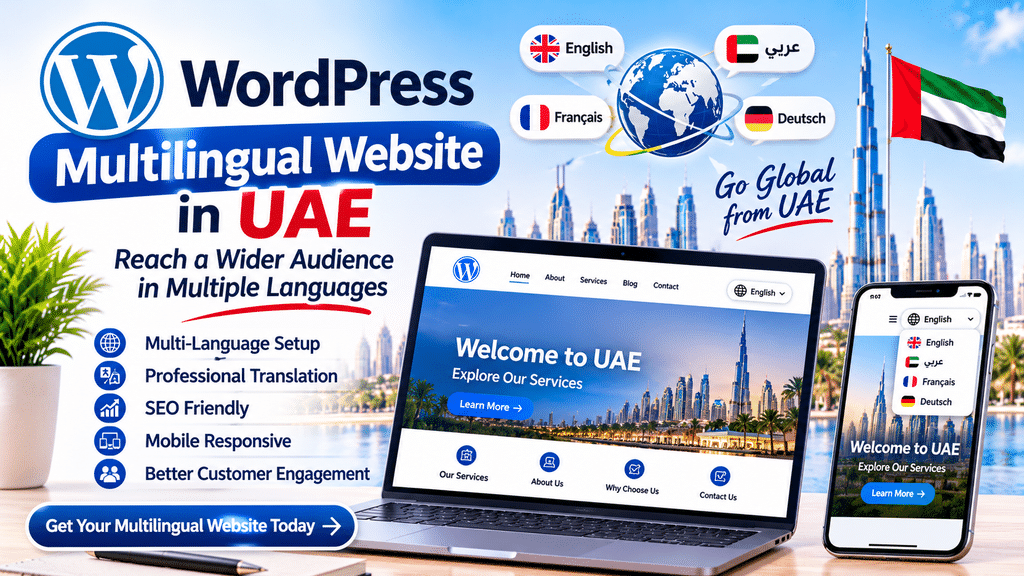
A WordPress multilingual website lets you speak to customers in their own language, and in 2026 that is one of the fastest ways to grow your reach without spending more on ads. Whether you sell products to Dubai, serve clients in Bangladesh or run a service business with international visitors, showing your content in more than one language builds trust and brings in search traffic that your English-only competitors simply never see.
This guide walks you through everything: what a multilingual site really is, which method and plugin to choose, how to set it up step by step, how to handle multilingual SEO and right-to-left languages like Arabic, and which mistakes to avoid. It is written for business owners and for developers who want a clear, practical plan.
Quick answer: To create a WordPress multilingual website, install a translation plugin such as WPML, Polylang or TranslatePress, add your languages, translate your pages, set a clean URL structure (like /ar/ or /bn/), add a language switcher and make sure every page has correct hreflang tags. Most small business sites can be live in a few days.
What Is a WordPress Multilingual Website?
A WordPress multilingual website is a single website that shows the same content in two or more languages, so each visitor can read it in the language they prefer. WordPress itself runs in one language at a time, so multilingual features are normally added with a plugin or with a multisite network.
A complete multilingual setup translates much more than blog posts. It covers:
- Pages, posts and custom post types
- Menus, widgets and footers
- Categories, tags and product attributes
- Theme and plugin text (strings)
- Page titles, meta descriptions and image alt text
- URLs and slugs
- Forms, emails and checkout messages
A site that is only half translated feels unfinished. Visitors notice a Spanish page with an English button instantly, and that small gap can cost you the sale.
Why Build a WordPress Multilingual Website?
Going multilingual is an investment, but the return is clear when you do it properly. Here are the main benefits:
- Reach more people. A large share of internet users do not read English as their first language. Translating your site opens markets that are invisible to you today.
- Less competition in search. Keywords in Arabic, Bengali, French or Spanish are often far less competitive than the same English keyword, so ranking is easier.
- Higher trust and conversions. People buy more readily when the site speaks to them in their own language, with local currency and familiar wording.
- Better user experience. Lower bounce rates and longer sessions send positive signals to search engines.
- Stronger brand image. A well-translated site looks professional and established.
- Future-proof visibility. AI search tools and answer engines also pick up content in many languages, which gives you extra chances to be cited.
Plan Before You Install Anything
The best multilingual sites are planned first and built second. Work through these steps in order:
- Pick your languages. Check your analytics and your target markets. Start with two or three languages instead of ten.
- Decide your default language. This is the language of your current content, and it usually becomes the base for all translations.
- Choose a translation method. Decide between human translation, machine translation with human review, or a mix.
- Choose a URL structure. Subdirectories, subdomains or separate domains (explained below).
- Check your theme and plugins. Make sure they are translation-ready and support right-to-left layouts if you need Arabic.
- Back up your site. Always take a full backup before adding a multilingual plugin.
- Set a budget and timeline. Include translation, setup, testing and ongoing updates.
Three Ways to Create a Multilingual WordPress Site
There is more than one route, and the right choice depends on your size, budget and technical comfort.
| Method | Best for | Main advantage | Main drawback |
|---|---|---|---|
| Translation plugin on one site | Most business sites | Fast, easy to manage in one dashboard | Plugin can add some load |
| WordPress Multisite network | Large, separate regional sites | Full control per language site | Harder to maintain and update |
| Separate sites per language | Very different markets | Total independence | Highest cost and duplicated work |
For most small and medium businesses, a single site with a good plugin is the smartest choice. It is simpler, cheaper and easier to keep consistent.
Best WordPress Translation Plugins Compared
Three tools dominate the market, and each fits a different kind of project.
WPML
WPML is one of the most widely used multilingual plugins, with over a million active installations and support for more than 65 languages. It handles complex sites, WooCommerce stores, custom post types and translation management for teams. It is a premium plugin, so you pay a yearly licence, but the depth of features is hard to beat for large projects. You can read the official documentation on the WPML website.
Polylang
Polylang is a popular option with a solid free version. You create separate posts and pages for each language and link them together. It is lightweight and flexible, which makes it a favourite for developers building brochure sites and blogs. See the plugin page on WordPress.org.
TranslatePress
TranslatePress lets you translate directly on the front end of your site with a live visual editor. It is very friendly for beginners and business owners who want to see changes as they type. Check the details on WordPress.org.
Which one should you choose?
- Choose WPML if you run a large site, a WooCommerce store or a multi-person translation team.
- Choose Polylang if you want a lean, developer-friendly setup with a free starting point.
- Choose TranslatePress if you want a visual, easy workflow and quick results.
- Consider a cloud-based tool if you want automatic translation with minimal setup, but always review the output.
How to Create a WordPress Multilingual Website: Step by Step
The exact screens differ between plugins, but the process is nearly identical. Follow these steps:
- Back up your website. Use your hosting backup or a backup plugin, and store a copy off the server.
- Install and activate your plugin. Go to Plugins > Add New, search for your chosen plugin and activate it.
- Set your default language. Confirm the language your existing content is written in.
- Add your extra languages. Select each target language from the list and save.
- Translate your core pages first. Start with the home page, services, about and contact pages. These bring the most value.
- Translate menus and widgets. Create a menu for each language so navigation stays in one language.
- Translate strings. Use the string translation tool for theme text, button labels, form messages and footer text.
- Add a language switcher. Place it in the header, menu or footer where visitors expect to find it.
- Translate SEO fields. Write unique titles, meta descriptions and slugs for every language.
- Test everything. Check forms, checkout, emails, search and mobile layout in every language.
- Submit your sitemaps. Add the updated sitemap to Google Search Console.
If you would like an expert to handle the technical side, see our WordPress development services for a done-for-you setup.
Choosing the Right URL Structure
Your URL structure tells search engines which version belongs to which audience. There are three common options:
- Subdirectories (example.com/ar/): Easiest to manage and the best choice for most sites. All languages share the authority of one domain.
- Subdomains (ar.example.com): Treated more like separate sites, which can split authority.
- Country domains (example.ae): Strong local signal but expensive and harder to maintain.
For a typical business, subdirectories are the safest and most practical option. Whatever you choose, keep it consistent across the whole site.
Multilingual SEO for WordPress
Translating your content is only half the job. To rank in each language, search engines must understand which page is meant for whom.
Use hreflang tags correctly
Hreflang tags tell Google which language and region each page targets, and they connect all translated versions of the same page. Every version should reference itself and all its translations. Google explains the rules in its guide on localized versions of your pages. Most multilingual plugins add these tags automatically, but you should always verify them.
Translate everything search engines read
- Page titles and meta descriptions
- Headings (H1 to H3)
- Image alt text and file names
- URL slugs
- Internal link anchor text
Do keyword research in each language
Do not simply translate your English keywords word for word. People in Dubai, Dhaka or Paris search differently. Research the real phrases used in each market, then write the content around them.
Keep your signals clean
- Use a self-referencing canonical tag on every page.
- Avoid redirecting visitors automatically by browser language only, since this can block crawlers.
- Include all language versions in your XML sitemap.
- Make sure every translated page is indexable and not set to noindex.
- Link between translations with a visible language switcher.
Working with RankMath
If you use RankMath, set a focus keyword for every translated page and fill in the title, description and schema fields in that language. Check that your plugin passes the correct language to RankMath, so previews and sitemaps stay accurate. Read more in Google’s SEO Starter Guide.
Machine Translation vs Human Translation
Automatic translation is fast and cheap, and modern tools are much better than they were a few years ago. Still, raw machine output can sound stiff, miss cultural meaning or get brand terms wrong.
- Use machine translation for: first drafts, large catalogues and low-risk pages.
- Use human review for: home pages, service pages, legal text, checkout and any content that drives sales.
- Best practice: machine draft first, then edit by a native speaker.
Google’s guidance is that quality matters more than the method. Low-quality, unedited auto-translated pages can hurt your visibility, so always review what you publish.
Right-to-Left Languages: Arabic and More
If you target the Middle East, an Arabic version is a major advantage. Arabic is written right to left, so the whole layout should flip, not just the text.
- Use a theme that supports RTL styling.
- Check menus, sliders, buttons, forms and icons for correct direction.
- Test fonts that display Arabic clearly.
- Localise currency, dates, phone formats and addresses.
- Review translated pages with a native Arabic speaker.
Bengali and other scripts need their own font checks as well. Missing glyphs or poor spacing can make a good translation unreadable.
Speed, Security and Maintenance
More languages mean more pages and more database entries, so performance matters.
- Choose fast, reliable hosting and enable caching.
- Compress images and use lazy loading.
- Use a CDN to serve visitors quickly in different countries.
- Keep WordPress, themes and plugins updated.
- Run regular backups and security scans.
A slow multilingual site wastes the effort you spent on translation. Good technical care protects both your rankings and your visitors’ experience.
Common Mistakes to Avoid
- Translating only some pages and leaving the rest in the default language.
- Forgetting to translate SEO titles and meta descriptions.
- Missing or wrong hreflang tags.
- Relying only on browser-language redirects.
- Using unedited machine translation on key pages.
- Not testing forms, checkout and emails in every language.
- Hiding the language switcher where nobody can find it.
- Ignoring right-to-left design for Arabic.
- Doing no keyword research per market.
- Launching without a plan to update all languages when content changes.
Multilingual Website Launch Checklist
- Backup completed
- Languages and URL structure confirmed
- Core pages, menus and strings translated
- SEO fields translated for every page
- Hreflang and canonical tags verified
- Language switcher visible on desktop and mobile
- Sitemaps submitted in Google Search Console
- Forms, checkout and emails tested
- Speed tested in each language
- Analytics set up to track each language
When to Hire a WordPress Expert
A small brochure site can be handled by a confident beginner. But if you run an online store, need Arabic or other RTL support, want clean multilingual SEO or have no time to test everything, professional help saves money in the long run. An experienced developer can pick the right plugin, set up hreflang correctly, keep your site fast and avoid costly rebuilds. Explore our web development and digital marketing services or get in touch to discuss your project.
Frequently Asked Questions About a WordPress Multilingual Website
1. What is a WordPress multilingual website?
It is a WordPress site that presents the same content in two or more languages, usually through a translation plugin or a multisite network, so visitors can choose the language they prefer.
2. Which is the best plugin for a WordPress multilingual website?
There is no single best option. WPML suits large and complex sites, Polylang is a lightweight and flexible choice with a free version, and TranslatePress is ideal for visual, beginner-friendly editing.
3. How much does it cost to make a WordPress site multilingual?
Costs vary widely. Plugins range from free to a yearly licence, and translation can be automatic or paid per word. A simple two-language brochure site costs far less than a multilingual online store with hundreds of products.
4. Does a multilingual website help SEO?
Yes, when done correctly. It lets you rank for keywords in several languages and reach audiences your competitors miss. Proper hreflang tags, translated metadata and quality translations are essential.
5. What are hreflang tags and do I need them?
Hreflang tags tell search engines which language and region a page targets and link it to its translated versions. You need them on every multilingual page, and most plugins add them automatically.
6. Should I use subdirectories, subdomains or separate domains?
For most businesses, subdirectories such as /ar/ or /bn/ are best because they are simple to manage and share one domain’s authority.
7. Can I use Google Translate or AI to translate my WordPress site?
You can use automatic translation for drafts, but you should have a native speaker review important pages. Unedited machine translation can sound unnatural and may harm user trust and rankings.
8. How do I make my WordPress site work in Arabic?
Use an RTL-compatible theme, add Arabic as a language in your plugin, translate all content and SEO fields, and test the layout carefully so every element flips correctly.
9. Will a multilingual plugin slow down my website?
It can add some load, especially on large sites. Good hosting, caching, image compression and a CDN keep the site fast in every language.
10. How long does it take to build a multilingual WordPress website?
A small site can be ready in a few days once the content is translated. Larger sites, online stores and sites needing RTL design or custom features can take a few weeks.