Artificial intelligence is changing the way people work, communicate, and manage businesses. One of the most important developments in this transformation is AI Automation. Instead of using AI only as a tool for answering questions or generating content, businesses can integrate AI into their everyday workflows to perform repetitive tasks, analyze information, make recommendations, and trigger actions automatically.
From marketing and sales to customer support, finance, human resources, and operations, AI Automation can help organizations save time, improve productivity, reduce repetitive manual work, and scale their processes more efficiently.
But what exactly is AI Automation? How does it work? What are its benefits, and how can a business start using it?
In this guide, we will explore AI Automation in simple terms, discuss practical examples, explain the difference between traditional automation and AI-powered automation, and provide a step-by-step approach to implementing AI Automation in a business.
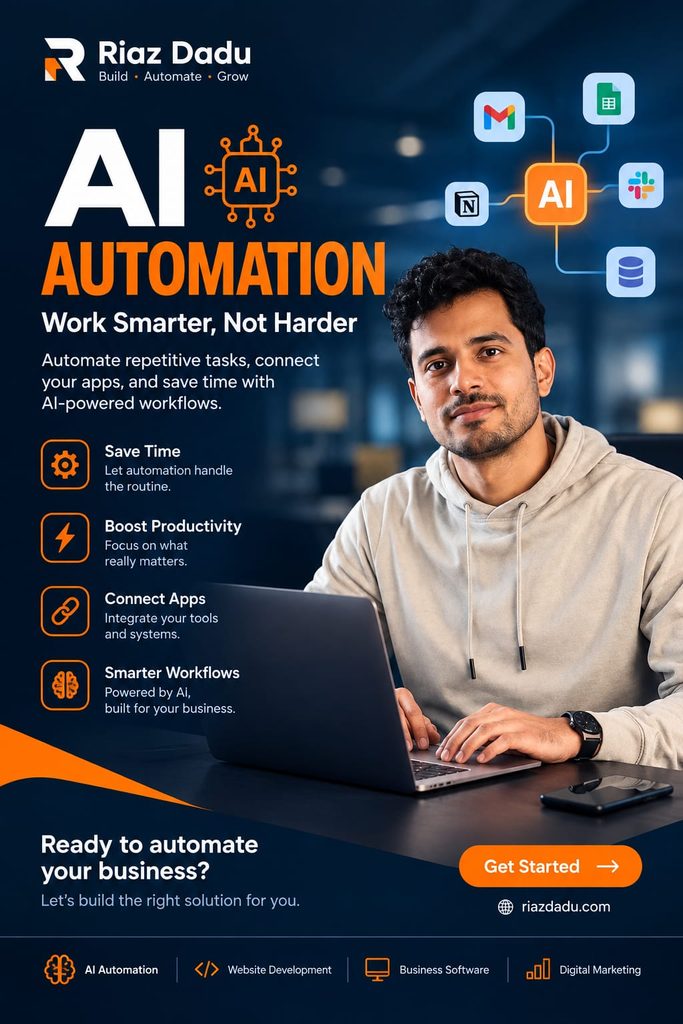
What Is AI Automation?
AI Automation is the use of artificial intelligence technologies together with automation systems to perform tasks, make decisions, process information, or complete workflows with less human intervention.
Traditional automation usually follows predefined rules. For example:
If a customer submits a form → send an email.
The system follows a fixed instruction and performs the same action every time.
AI Automation goes further. AI can understand text, recognize patterns, classify information, generate content, summarize documents, analyze data, and make decisions based on context.
For example:
Customer submits a message → AI understands the customer’s request → identifies the customer’s intent → determines the appropriate category → creates a response → sends the information to the correct team.
This combination of artificial intelligence and workflow automation creates more flexible and intelligent business processes.
In simple words:
AI Automation means using AI to make automated workflows smarter and more capable of handling tasks that normally require human effort.
AI Automation can involve technologies such as machine learning, natural language processing, computer vision, generative AI, AI agents, APIs, workflow platforms, and business software.
How Does AI Automation Work?
An AI-powered workflow generally starts with a trigger. The trigger could be a new email, customer form submission, uploaded document, calendar event, database update, or scheduled time.
The AI then processes the information and determines what needs to happen next.
A basic AI Automation workflow can look like this:
Trigger → AI Processing → Decision → Action → Human Review
For example, imagine a company receives customer inquiries through email.
Step 1: Trigger
A new customer email arrives.
Step 2: AI Processing
The AI reads and understands the message.
Step 3: Classification
The AI determines whether the message is about sales, technical support, billing, or another topic.
Step 4: Action
The automation sends the request to the appropriate department and may prepare a response.
Step 5: Human Review
If the request is complicated or sensitive, a human employee reviews it before the final response is sent.
This approach allows AI to handle repetitive preparation and classification while humans maintain control over important decisions.
AI Automation vs Traditional Automation
Traditional automation and AI Automation are related, but they are not exactly the same.
Traditional Automation
Traditional automation normally depends on predefined rules.
For example:
- If a form is submitted, send an email.
- If an invoice is overdue, send a reminder.
- If a customer purchases a product, update the CRM.
- If a file is uploaded, move it to a specific folder.
These workflows are useful when the input and required action are predictable.
AI Automation
AI Automation can work with more complicated and unstructured information.
For example:
- Read an email and understand its purpose.
- Summarize a long document.
- Extract information from an invoice.
- Analyze customer feedback.
- Classify support requests.
- Generate a personalized response.
- Analyze a sales call and identify important follow-up actions.
The key difference is that traditional automation primarily follows predefined instructions, while AI Automation can interpret information and perform tasks that involve language, patterns, context, or judgment.
The two technologies can also work together. In fact, combining deterministic automation with AI processing can create powerful workflows.
Why Is AI Automation Important?
Modern businesses handle enormous amounts of information every day.
Employees may spend hours:
- Reading emails
- Entering data
- Creating reports
- Updating CRM records
- Responding to repetitive questions
- Researching customers
- Writing routine messages
- Organizing documents
- Creating meeting summaries
- Monitoring business information
Many of these activities are necessary, but they do not always require employees to perform every step manually.
AI Automation can help move repetitive work into automated workflows so employees can spend more time on strategy, creativity, customer relationships, problem-solving, and other high-value activities.
The goal is not simply to automate everything.
The goal is to determine which parts of a workflow can be handled efficiently by technology and which parts should remain under human control.
Major Benefits of AI Automation
1. Saves Time
One of the biggest benefits of AI Automation is reducing repetitive manual work.
Instead of manually reading hundreds of emails, an AI system can classify them. Instead of creating every meeting summary manually, AI can generate a first draft. Instead of manually organizing customer information, an automated workflow can extract and structure the data.
The time saved can then be used for more valuable activities.
2. Improves Productivity
Employees can accomplish more when repetitive administrative work is reduced.
For example, a marketing professional may spend less time preparing routine reports and more time developing campaigns.
A salesperson can spend less time researching basic lead information and more time communicating with potential customers.
A customer support team can spend less time answering simple repetitive questions and more time solving complex customer problems.
3. Reduces Repetitive Errors
Manual data entry can result in mistakes.
AI Automation can standardize many repetitive processes and reduce the number of manual steps involved.
However, automation does not guarantee perfect accuracy. AI systems can also make mistakes, which is why validation, monitoring, and human review remain important for critical workflows.
4. Improves Response Speed
Businesses often compete on how quickly they can respond to customers.
AI Automation can help organizations process incoming requests quickly, classify them, prepare responses, and route them to the correct team.
For example, an automated customer support workflow could immediately identify whether a customer needs technical assistance, billing support, or sales information.
5. Supports Business Growth
Manual processes often become difficult to manage as a business grows.
A workflow that works for 50 customers may become inefficient when the company has 5,000 customers.
AI Automation can help businesses scale certain processes without increasing manual work at the same rate.
6. Creates More Consistent Processes
Automation can help businesses follow standardized procedures.
For example, a company can create a workflow that consistently:
- Receives customer information.
- Checks required fields.
- Classifies the request.
- Updates the CRM.
- Creates a task.
- Notifies the appropriate employee.
This consistency can improve operational efficiency.
Real-World AI Automation Examples
AI Automation can be applied to many different departments and industries.
Here are some practical examples.
AI Automation for Marketing
Marketing teams can use AI to automate parts of their content and campaign workflows.
Examples include:
- Generating content briefs
- Creating social media drafts
- Repurposing long-form content
- Analyzing customer feedback
- Summarizing campaign performance
- Generating email drafts
- Categorizing leads
- Monitoring competitors
- Creating SEO research summaries
For example, a company could create a workflow where a new blog post automatically triggers an AI system to generate social media post drafts.
A human marketer can then review and approve the content before publication.
AI Automation for SEO
SEO professionals can also benefit significantly from AI Automation.
An SEO workflow might include:
Keyword data → AI clustering → Search intent analysis → Content brief → Internal linking suggestions → Human review
AI can help organize large keyword lists, identify search intent patterns, summarize competitor content, generate content outlines, and assist with repetitive SEO analysis.
However, SEO still requires strategic human judgment.
AI-generated recommendations should be reviewed before implementation, particularly for important websites.
AI Automation for Sales
Sales teams often deal with large numbers of leads.
AI Automation can help with:
- Lead qualification
- Lead scoring
- Customer research
- CRM updates
- Email drafting
- Follow-up reminders
- Sales call summaries
- Identifying potential opportunities
For example, when a new lead submits a form, an automated workflow could collect the available information, summarize the lead, assign a qualification score, update the CRM, and notify the appropriate salesperson.
The salesperson can then focus on the conversation rather than administrative tasks.
AI Automation for Customer Support
Customer support is another major use case.
AI can analyze incoming customer messages, identify their intent, categorize support tickets, generate draft responses, and route complicated issues to human agents.
For example:
Customer message → AI analyzes request → identifies category → checks available information → prepares response → human approval → customer receives response
This can make support operations faster while keeping humans involved when the situation requires judgment.
AI Automation for Human Resources
HR departments manage large amounts of information and repetitive processes.
AI Automation can assist with:
- Resume screening support
- Interview scheduling
- Candidate communication drafts
- Employee onboarding workflows
- Document classification
- Internal HR questions
- Training content organization
- Employee feedback analysis
Sensitive employment decisions should not be fully delegated to AI without appropriate human oversight, policies, and review.
AI Automation for Finance
Finance teams can automate parts of processes involving structured documents and repetitive information handling.
Potential applications include:
- Invoice data extraction
- Expense categorization
- Payment reminders
- Financial report summaries
- Document organization
- Transaction classification
- Approval routing
For high-impact financial decisions, human verification and appropriate controls are essential.
AI Automation for Business Operations
Operations teams can use AI Automation to connect different tools and processes.
For example:
New order → AI extracts order information → system checks inventory → database is updated → relevant team is notified → customer receives confirmation
This kind of workflow can reduce unnecessary manual data transfer between systems.
AI Automation for Small Businesses
AI Automation is not only for large corporations.
Small businesses can also benefit from simple automated workflows.
A small business might automate:
- Contact form notifications
- Customer email classification
- Appointment reminders
- Social media content preparation
- Lead follow-up
- Invoice reminders
- Customer FAQs
- Weekly reports
- Content repurposing
The best approach is usually to start small.
Instead of trying to automate an entire business immediately, identify one repetitive process that consumes time every week.
Automate that process, measure the result, improve it, and then move to the next workflow.
Popular Types of AI Automation Tools
AI Automation does not necessarily require building a complicated AI system from scratch.
Businesses can combine different categories of tools.
AI Models
Large language models and other AI systems can understand, generate, classify, summarize, and transform information.
Workflow Automation Platforms
Workflow platforms connect different applications and allow businesses to create automated processes.
CRM Systems
Customer relationship management platforms can store customer information and trigger automated sales and marketing processes.
Communication Tools
Email, chat, messaging, and collaboration platforms can become part of automated workflows.
Databases
Databases and spreadsheets can store information that AI workflows process and update.
APIs
APIs allow different software systems to communicate with each other.
The most effective AI Automation system is often not one tool. It is a combination of AI, automation, business applications, data, and human review.
How to Start With AI Automation
If you are new to AI Automation, follow a simple process.
Step 1: Identify a Repetitive Task
Look for a process that happens frequently.
Ask:
- What task takes too much time?
- What information is copied manually?
- What process happens every day or every week?
- Where do employees repeatedly perform the same steps?
Step 2: Map the Workflow
Write down every step.
For example:
New lead → Research lead → Qualify lead → Update CRM → Send email → Create follow-up task
This makes it easier to identify where AI can help.
Step 3: Choose the AI Step
Not every part of a workflow needs AI.
Determine where AI adds genuine value.
AI may be useful for:
- Reading
- Classification
- Summarization
- Data extraction
- Content generation
- Pattern recognition
- Recommendations
Traditional automation may be better for simple actions such as moving data, sending notifications, or updating a fixed field.
Step 4: Add Human Review
For important workflows, include a human checkpoint.
For example:
AI creates a response → employee reviews → employee approves → system sends
This is particularly important for financial, legal, medical, employment, security, and customer-sensitive processes.
Step 5: Test the Workflow
Do not immediately deploy an AI workflow across your entire organization.
Test it with a small sample.
Check:
- Accuracy
- Speed
- Cost
- Reliability
- Failure cases
- User experience
- Data privacy
Step 6: Measure Results
You should measure whether the automation actually improves the process.
Useful metrics include:
- Time saved
- Number of tasks completed
- Error rate
- Response time
- Cost per task
- Customer satisfaction
- Employee productivity
If the workflow does not create measurable value, redesign it.
Challenges of AI Automation
Although AI Automation provides many opportunities, it also creates challenges.
Accuracy
AI can sometimes produce incorrect information or misunderstand context.
Important workflows should therefore include validation.
Data Privacy
Businesses may process sensitive customer or company information.
Before using AI Automation, organizations should understand how data is collected, processed, stored, and shared.
Security
Automated systems can have access to business applications and databases.
Poorly configured permissions can create security risks.
Cost
AI services, APIs, software subscriptions, and infrastructure can create ongoing expenses.
Businesses should compare the cost of automation with the value it creates.
Over-Automation
Not every task should be automated.
Some activities require human creativity, empathy, judgment, negotiation, or accountability.
A successful AI strategy combines automation with human expertise rather than blindly replacing human involvement.
AI Automation and the Future of Work
AI Automation is likely to become an increasingly important part of modern workplaces.
The future will not necessarily be about humans versus AI.
Instead, many organizations will use a combination of:
Human expertise + AI capabilities + automated workflows
Humans can focus on strategy, relationships, creativity, leadership, and complex decisions.
AI can assist with information processing, analysis, content generation, classification, and repetitive cognitive tasks.
Automation can connect these capabilities and move information between systems.
This creates a new model of work where employees can use technology as a productivity partner rather than simply performing every process manually.
Is AI Automation Going to Replace Jobs?
This is one of the most common questions about AI Automation.
The answer is more complicated than simply saying yes or no.
AI Automation can replace or reduce the need for certain repetitive tasks. At the same time, it can create demand for new skills and new types of work.
For example, employees may increasingly need to understand:
- AI tools
- Automation platforms
- Data
- Prompt design
- Workflow design
- AI quality control
- Digital strategy
- Human-AI collaboration
The important skill is not simply knowing how to use an AI chatbot.
It is understanding how to design a useful workflow where AI creates measurable business value.
Best Practices for Successful AI Automation
Businesses should follow several principles when implementing AI Automation.
Start Small
Begin with one clearly defined workflow instead of trying to automate everything.
Keep Humans in the Loop
Human review is especially important for high-risk or irreversible actions.
Use High-Quality Data
AI workflows depend heavily on the quality and relevance of their input.
Define Clear Outputs
The workflow should have a specific expected result.
Monitor Performance
AI workflows should be reviewed regularly to identify errors and opportunities for improvement.
Protect Sensitive Information
Use appropriate security controls and permissions.
Measure ROI
Always determine whether the automation saves time, reduces cost, improves quality, increases revenue, or provides another measurable benefit.
Frequently Asked Questions About AI Automation
What is AI Automation in simple words?
AI Automation means using artificial intelligence to perform or assist with tasks automatically. It combines AI capabilities such as understanding, classification, generation, and analysis with automated workflows.
What is an example of AI Automation?
A simple example is an automated customer support workflow. AI reads incoming customer messages, identifies the topic, prepares a response, and sends complicated cases to a human support employee.
What is the difference between AI and automation?
AI provides capabilities such as understanding, generating, predicting, or analyzing information. Automation connects steps and executes actions automatically. Combining the two creates AI Automation.
Can small businesses use AI Automation?
Yes. Small businesses can start with simple workflows such as lead management, customer support, email processing, appointment reminders, content repurposing, and reporting.
Does AI Automation require coding?
Not always. Many modern automation platforms provide visual workflow builders and integrations. However, coding knowledge can be useful for advanced workflows, custom APIs, databases, and complex AI applications.
Is AI Automation expensive?
The cost depends on the workflow, tools, volume, integrations, and complexity. A simple workflow can be inexpensive, while enterprise-level automation can require significant investment.
Is AI Automation safe?
AI Automation can be safe when it is properly designed, tested, secured, and monitored. Businesses should use appropriate permissions, protect sensitive information, validate AI outputs, and maintain human oversight for important decisions.
Can AI Automation help with SEO?
Yes. AI Automation can assist with keyword organization, content briefs, search-intent analysis, content repurposing, reporting, competitor monitoring, and other repetitive SEO tasks. However, SEO strategy, quality control, and final decision-making should remain under expert review.
Final Thoughts
AI Automation is transforming the way businesses approach repetitive work and digital workflows. Instead of treating AI as a simple chatbot or content-generation tool, organizations can integrate AI directly into their existing processes.
From marketing and SEO to sales, customer service, HR, finance, and operations, AI can help businesses process information, make workflows more efficient, and reduce repetitive manual work.
However, successful AI Automation is not about automating everything.
The most effective approach is to identify repetitive processes, determine where AI adds genuine value, combine AI with reliable automation, establish human review, protect business data, and continuously measure performance.
If you are starting your AI Automation journey, begin with one small workflow. Define the problem, map the process, select the appropriate AI capability, automate the repetitive steps, test the result, and measure the improvement.
The future of business automation is not simply about machines doing more work.
It is about people and AI working together through smarter, faster, and more efficient workflows.