
A Shopify Arabic language store is the fastest way to turn Arabic-speaking visitors from the Gulf, the Levant, and North Africa into paying customers. When a shopper can read your product pages, checkout, and order emails in their own language, with the layout flowing right to left, trust goes up and hesitation goes down.
The good news is that Shopify now makes this far easier than it used to be. The bad news is that a store which is only machine-translated, with an English layout squeezed into Arabic text, still feels foreign to local buyers. This guide shows you how to build an Arabic store properly: setup, design, SEO, and local details that actually move sales.
In this guide you will learn:
- What a real Arabic Shopify store includes (and what it does not)
- A 9-step setup process you can follow today
- How to choose an RTL-ready theme
- Arabic SEO, hreflang, and URL structure
- How to optimize for AI answers (AEO) and local search (GEO)
- Answers to the 10 questions store owners ask most
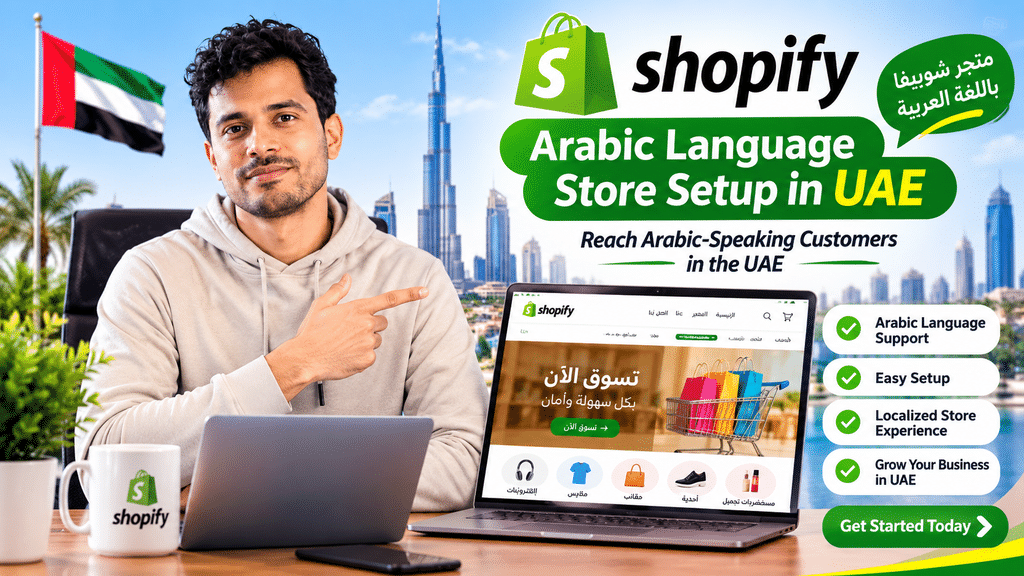
What Is a Shopify Arabic Language Store?
Quick answer: A Shopify Arabic language store is an online store that shows products, navigation, checkout, and emails in Arabic, uses a right-to-left (RTL) layout, and is localized with regional currency, payment methods, and shipping.
There are two common versions:
- Bilingual store: English and Arabic live side by side, and the shopper switches between them. This suits brands serving both expats and locals.
- Arabic-first store: Arabic is the default language and English is optional. This suits brands that sell mainly inside Saudi Arabia, the UAE, Kuwait, Qatar, Egypt, or Jordan.
Either way, a true Arabic store is more than translated text. It needs correct text direction, readable Arabic fonts, translated system messages, and a buying journey that matches local habits.
Why Build a Shopify Arabic Language Store in 2026?
Arabic-speaking shoppers are an enormous, fast-growing online audience, and many search and buy in Arabic first. Building for them gives you several advantages:
- Less competition in Arabic search results. Many English-language stores never publish Arabic pages, so Arabic queries are often easier to win.
- Higher trust and conversion. Shoppers are more comfortable paying when every label, policy, and button is in their language.
- Better support from Shopify itself. Shopify has improved right-to-left support in the admin and storefront, including checkout and customer accounts, according to the Shopify changelog on right-to-left languages.
- Easy testing. You can add Arabic to an existing store and measure results without rebuilding from scratch.
One ecommerce app publisher’s regional guide, EasySell’s Arabic store setup guide, claims Saudi Arabia accounts for over a third of the region’s ecommerce revenue. Treat that as a vendor claim rather than an official statistic, but it explains why many sellers start with one Saudi-focused market.
Shopify Arabic Store Setup: 9 Steps
Follow these steps in order. They work for a new store or an existing English store.
Step 1: Define your market and language approach
Decide first whether you are building a bilingual or Arabic-first store, and which country you will target first. One country at a time is easier: you choose one currency, one shipping setup, and one set of payment methods.
Step 2: Choose an RTL-ready theme
This is the step most owners get wrong. Shopify’s own documentation says that when you translate into right-to-left languages such as Arabic or Hebrew, you should check that your theme supports them, and that the latest Horizon-family themes support right-to-left languages. You can read the details in Shopify’s languages and translation guide. Shopify also added a right-to-left filter to the Theme Store, so you can narrow your search quickly.
When comparing themes, check:
- Does the demo switch to RTL when Arabic is selected?
- Do the menu, cart drawer, and product gallery mirror correctly?
- Are Arabic fonts supported in headings and buttons?
- Does the theme stay fast on mobile?
Step 3: Add Arabic in Languages and domains
In your Shopify admin, open Settings, then Languages (or Markets, then Languages and domains, depending on your admin version). Click Add language, choose Arabic, and save. Shopify’s list of supported languages confirms Arabic is available for themes, checkout, and system translations.
Step 4: Translate your content
Use the free Translate & Adapt app from Shopify. You can translate manually, use Shopify’s automatic AI translation, or import translations through CSV files. Shopify also announced auto-translation support for Arabic and Hebrew in Translate & Adapt.
Translate these items first:
- Product titles and descriptions
- Collection names and descriptions
- Navigation menus and footer links
- Policy pages (shipping, returns, privacy)
- Theme text such as buttons and labels
- Email notifications (through Settings, then Notifications, then Localize)
Step 5: Review the Arabic by hand
Automatic translation is a starting point, not a finish line. Have a native speaker review product names, size guides, and legal pages. Store owners in the Shopify community frequently report awkward or inaccurate machine translation and fix it manually.
Step 6: Fix layout and fonts
Preview every template in Arabic: home, collection, product, cart, checkout, and account pages. Look for icons pointing the wrong way, misaligned prices, and phone numbers that flip incorrectly. Some store owners force right-to-left direction across the whole theme with a code snippet and then discover English pages break as well. Direction should switch only when Arabic is active.
Step 7: Connect markets, currency, and payments
Under Markets, create a market for your target country, assign Arabic as its language, and set the local currency (for example SAR or AED). Then enable the payment methods shoppers expect locally.
Step 8: Set up shipping, taxes, and policies
Create shipping zones for your target country, add clear delivery times, and publish Arabic return and refund policies. Customers in this region read policies carefully before ordering.
Step 9: Test, publish, and monitor
Publish Arabic only after you have placed a test order in Arabic on a real phone. Then watch your analytics by language so you can see sessions, conversion rate, and revenue for the Arabic version separately.
Design Rules for a Great RTL Store
Good Arabic design is not simply a mirror image of English design. Keep these rules in mind:
- Mirror the layout, not everything. Navigation, text alignment, and progress bars flip. Logos, product photos, and many icons do not.
- Use a readable Arabic font. Pick a clean, modern Arabic typeface and avoid tiny sizes, because Arabic letters need more room than Latin ones.
- Choose a numeral style on purpose. Western digits (1, 2, 3) are common in ecommerce, but be consistent across prices, phone numbers, and dates.
- Keep buttons obvious. Arabic call-to-action text such as “أضف إلى السلة” should be short and high-contrast.
- Design mobile first. Most Arabic-speaking shoppers browse on phones, so test thumb reach and loading speed.
Arabic SEO for Your Shopify Arabic Language Store
Translating your store does not automatically make it rank. You also need Arabic SEO.
Give every language its own URLs
Shopify’s documentation explains that publishing a language creates unique URLs for each translated page, which helps customers and search engines find the right version. See the Shopify languages overview for how URLs are handled.
Use hreflang correctly
Google recommends telling it about localized versions of a page. Its guidance in Tell Google about localized versions of your page makes several useful points:
- Each language version should list itself and every other version.
- Alternate URLs must be fully qualified, including https.
- If two pages do not point to each other, the annotations are ignored.
- An x-default page can serve visitors whose language is not listed.
- Google does not use hreflang or the HTML lang attribute to detect a page’s language; it uses its own algorithms.
- Localized pages are treated as duplicates only when the main content remains untranslated.
The last point matters: fully translate the main content, not just the menu and footer. After publishing, open your page source and confirm the alternate links are present and reciprocal.
Research Arabic keywords, not translated ones
Arabic shoppers do not always search the way an English translation suggests. Dialects, spelling variants, and brand names change how people type. To do this well:
- Start with your English keyword list and note your best sellers.
- Search each product idea in Arabic using Google autocomplete and the “People also ask” box.
- Compare the top Arabic results to see what pages Google rewards.
- Choose one primary Arabic keyword per product or collection page.
- Write titles and descriptions naturally around that keyword.
Optimize titles, descriptions, and images
- Write a unique Arabic title and meta description for every key page.
- Add Arabic alt text to product images.
- Use clean Arabic collection descriptions of at least 100 to 150 words.
- Add an Arabic FAQ to your best-selling product pages.
Publish Arabic content
A blog in Arabic builds topical authority and captures informational searches such as sizing guides, gift ideas, and how-to content. Link each article to related collections and products.
AEO and GEO: Get Found by AI Answers and Local Search
Search is changing. People now get answers from AI summaries, voice assistants, and featured snippets. Two approaches help your store appear there.
Answer Engine Optimization (AEO)
- Start sections with a direct 40 to 60 word answer, then expand.
- Use question-style headings, such as “How do I add Arabic to Shopify?”
- Keep steps in numbered lists and comparisons in tables or bullets.
- Add FAQ content in clear question-and-answer format.
- Keep facts specific and verifiable, and cite official sources.
Generative Engine Optimization (GEO)
- Mention the real places you serve, such as Riyadh, Jeddah, Dubai, Kuwait City, Doha, or Cairo, where it is true for your business.
- Publish shipping times and currency for each country.
- Show consistent business details, such as name, contact, and policies, across your site and profiles.
- Earn mentions on trusted regional sites and directories.
- Use structured data such as Product and FAQ markup where your theme or app supports it.
Localize Beyond Translation
Localization is what separates a translated store from a store that feels local.
- Payments: Offer the methods shoppers trust in each country. Cash on delivery and local cards are common in the region, so check what your target market prefers.
- Currency: Show prices in the local currency, with clear tax and shipping costs.
- WhatsApp support: Many shoppers prefer to ask questions on WhatsApp before buying. Add a visible chat button.
- Delivery promises: State delivery windows in Arabic on product and cart pages.
- Cultural fit: Check imagery, color choices, product names, and seasonal campaigns, including Ramadan and Eid, for local relevance.
- Order emails: Translate confirmations and shipping notifications so customers are never confused after purchase.
8 Common Mistakes to Avoid
- Using a theme that does not support RTL
- Publishing raw machine translation without review
- Forcing RTL on every language
- Translating the menu but leaving product pages in English
- Skipping Arabic email notifications
- Ignoring hreflang and duplicate-content checks
- Offering payment methods nobody locally uses
- Launching without testing checkout on a real phone
Pre-Launch Checklist
- Theme confirmed as RTL-ready
- Arabic added and published in Languages
- Products, collections, pages, and policies translated and reviewed
- Email notifications localized
- Market, currency, and payments configured
- Shipping rates and delivery times published
- Titles, meta descriptions, and alt text written in Arabic
- Hreflang tags verified in page source
- Test order completed on mobile
- Analytics segmented by language
Get Expert Help With Your Shopify Arabic Store
Setting up a Shopify Arabic language store involves design, development, and search marketing at the same time. If you would rather have it done properly, you can explore my website development services for custom Shopify builds, combine them with digital marketing and SEO, or use AI automation to speed up order and support workflows. You can also read more about Riaz Dadu, see client testimonials, browse all services, or read more guides on the blog. When you are ready, contact me for a free consultation.
Shopify Arabic Language Store FAQs
1. Does Shopify support Arabic?
Yes. Shopify supports Arabic for themes, checkout, and system translations, and it has improved right-to-left support across the admin and storefront. You still need a theme that handles RTL layout properly.
2. How do I add Arabic to my Shopify store?
Go to your language settings, add Arabic, translate your content with the Translate & Adapt app, review the result, and publish the language. Then confirm your theme switches to a right-to-left layout.
3. Which Shopify theme is best for an Arabic store?
Choose a theme that explicitly supports right-to-left languages. Shopify says the latest Horizon-family themes do, and the Theme Store has an RTL filter. Always test the demo in Arabic before buying.
4. Can I have English and Arabic on the same Shopify store?
Yes. A bilingual Shopify store lets visitors switch between English and Arabic, and the layout can change direction based on the selected language.
5. Is automatic translation good enough for Arabic?
It is a useful first draft, since Shopify supports auto-translation for Arabic. However, a native speaker should review product names, legal pages, and marketing copy before you publish.
6. How do I make my Shopify store right to left?
Use an RTL-ready theme so the layout flips when Arabic is active. Avoid forcing right-to-left direction across the whole theme, because that can break your English pages.
7. Does an Arabic Shopify store help SEO?
Yes, when each page has translated main content, unique Arabic titles and descriptions, and correct hreflang annotations. Arabic pages can also face less competition than English ones.
8. Do I need a separate store for Arabic customers?
Not usually. One Shopify store can serve multiple languages and markets, with each language getting its own URLs. A separate store is only worth it if your catalog, pricing, or operations differ a lot.
9. How much does it cost to build a Shopify Arabic store?
Costs depend on your theme, apps, translation quality, and design needs. Shopify’s Translate & Adapt app is free, but you may pay for a premium theme, extra apps, professional translation, or a developer.
10. Can you build my Shopify Arabic language store for me?
Yes. I build and optimize Shopify stores for clients in Bangladesh and worldwide, including bilingual and Arabic-first setups. Reach out through the contact page to discuss your project.


Pingback: Shopify AED Currency and VAT: 7 Easy & Proven Steps