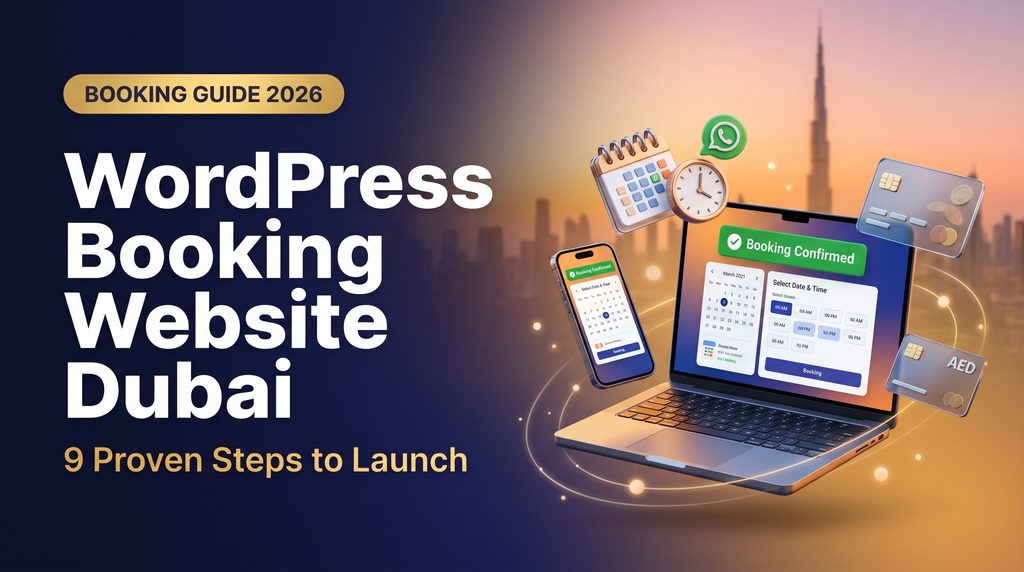
A WordPress booking website Dubai businesses can trust lets customers pick a time, pay in AED, and get a confirmation in under two minutes, without a single phone call. If you run a clinic, salon, tour company, yacht charter, fitness studio, or consultancy, that speed decides whether you win the booking or lose it to a competitor.
This guide explains how to build a booking website in Dubai the right way. You will learn how to choose a plugin, accept local payments, support Arabic, protect customer data, and launch with confidence.
In this guide you will learn:
- What a WordPress booking system is and who needs one
- The features every Dubai booking site should have
- How the best booking plugins compare
- Nine steps to plan, build, and launch
- Costs, mistakes to avoid, and 10 FAQs
What Is a WordPress Booking Website?
A WordPress booking website is a business site where customers choose a service, date, and time, then confirm and often pay online. It runs on WordPress, with a booking plugin handling calendars, staff, availability, payments, and reminders.
In short: it replaces back-and-forth WhatsApp messages and phone calls with an automatic, 24/7 reservation system.
When designed properly, a WordPress booking website Dubai customers use will:
- Show real-time availability
- Block double bookings automatically
- Collect deposits or full payment
- Send email, SMS, or WhatsApp reminders
- Sync with Google Calendar
- Give your team a single dashboard
Who Needs a Booking Website in Dubai?
Dubai’s service economy is built on appointments and reservations. Typical users include:
- Clinics and dental practices: appointments, doctor schedules, follow-ups
- Salons, spas, and barbers: staff-based services and packages
- Tour and desert safari operators: date and group-size bookings
- Yacht, car, and villa rentals: availability calendars and deposits
- Fitness studios and coaches: classes, memberships, and trial sessions
- Consultants, lawyers, and accountants: paid consultations
- Photographers and event services: date-based bookings with deposits
- Home services: cleaning, maintenance, and AC servicing
If customers currently ask “Is this time available?” on WhatsApp, you need a booking website.
Why Choose WordPress for a Booking Website in Dubai?
- Flexibility: you can build almost any booking flow, from a simple appointment form to a multi-staff, multi-branch system.
- Lower cost: compared with fully custom software, a WordPress booking system is faster and cheaper to launch.
- You own it: no marketplace commissions and no monthly fees per booking.
- SEO strength: WordPress is well suited to ranking service pages and local landing pages.
- Easy to grow: add Arabic, online payments, packages, memberships, or an online store later.
For the broader design picture, see our guide to WordPress Elementor website design in Dubai.
Must-Have Features of a Dubai Booking Website
- Real-time calendar with availability, buffers, and holidays (including Ramadan hours)
- Mobile-first booking flow, since most customers book from their phones
- AED pricing and local payment methods
- Arabic and English with true right-to-left layouts
- Deposits and cancellations with clear rules
- Automatic reminders by email, SMS, or WhatsApp
- Staff, service, and location management
- Google Calendar sync to prevent double bookings
- Customer accounts to rebook and view history
- Reports on bookings, revenue, and no-shows
- Clear privacy policy and consent for customer data
Best WordPress Booking Plugins for Dubai Businesses
The plugin you choose shapes everything else, so pick it by business type, not by popularity.
| Plugin | Best for | Notes |
|---|---|---|
| Amelia | Multi-service and multi-staff businesses, plus events | Strong admin dashboard, free lite version |
| Bookly | Mature, customizable appointment systems | Large add-on library |
| LatePoint | Modern, mobile-first appointment experience | Clean customer interface |
| Booknetic | Appointment businesses wanting flexibility | Popular in comparisons |
| Booking Calendar | Rentals, villas, and accommodation | Availability-based reservations |
| Simply Schedule Appointments | Consultants and quick setup | Easiest for beginners |
| WooCommerce Bookings | Existing WooCommerce stores | Bookable products at checkout |
Independent roundups agree on this split. One comparison finds Booking Calendar best for rentals and reservations, Simply Schedule Appointments best for consultants and appointment services, and Amelia best for businesses running both appointments and events. Another notes that Amelia suits multi-site, multi-service businesses and has a free lite version, with paid plans starting at $49 per year. For stores, the official WooCommerce Bookings extension suits sites that already sell products and want bookable items alongside them. Limited time discount Keep Summer Fully Booked +2
Prices and features change often, so verify the current version, license, and Arabic/RTL support on each plugin’s page before buying. You can compare more options in Elementor’s booking plugin guide and Zapier’s roundup.
Quick decision guide:
- Clinic, salon, or spa with staff schedules: Amelia, Bookly, or LatePoint
- Villas, yachts, or cars with date ranges: Booking Calendar or a WooCommerce-based option
- Single consultant: Simply Schedule Appointments
- Selling bookings alongside products: WooCommerce Bookings
Step 1: Define Your Booking Model
Before installing anything, answer these questions:
- Do customers book time slots (appointments), date ranges (rentals), or tickets (events and tours)?
- Do you have multiple staff, branches, or vehicles?
- Will you take full payment, a deposit, or pay at venue?
- What is your cancellation and refund policy?
- Which languages do your customers use?
Write the answers down. They decide your plugin, design, and payment setup.
Step 2: Choose the Right Plugin and Hosting
Match your plugin to your model using the table above. Then plan hosting carefully:
- Use reliable hosting with servers close to the Middle East
- Add a CDN and caching for speed
- Choose a host with daily backups and a staging site
- Confirm the plugin works with your theme and with Elementor
A slow booking page loses customers at the exact moment they are ready to pay.
Step 3: Design a Booking Flow That Converts
Good design makes booking feel effortless. Follow these rules:
- Fewer steps: service, date and time, details, payment, done
- A clear “Book Now” button on every key page
- Visible pricing and duration before the customer commits
- Trust signals: reviews, licenses, and photos of real staff or vehicles
- Mobile-first layouts with large tap targets
- WhatsApp button for questions, since customers in the UAE expect it
Elementor makes this faster to build and easier to edit yourself. Our website development services include booking-focused page design.
Step 4: Set Up Payments in AED
Dubai customers expect to pay in dirhams with familiar methods. Your gateway choice matters.
Common options for UAE businesses:
- Telr: supports Arabic and English, plus major cards, Apple Pay, PayPal, Samsung Pay, Mada, STC Pay and Tabby. ziina
- PayTabs, Network International, and Checkout.com: established regional options
- Stripe: available for qualifying UAE businesses
- Nomod: a WooCommerce plugin that accepts AED, USD, EUR, GBP and SAR, with settlement in AED. wordpress
- Tap Payments and HyperPay: available through a Middle East gateway plugin for WooCommerce and other tools
Payment tips:
- Take a deposit for high-value or no-show-prone bookings
- Show the final price including VAT if you are VAT-registered, and confirm the exact treatment with your accountant
- Add clear refund and cancellation terms at checkout
- Test live payments with a small real transaction before launch
Gateway fees and approval times vary, so compare current terms and check that your chosen gateway supports your plugin.
Step 5: Add Arabic and RTL Support
Dubai is multilingual. An English-only booking site loses Arabic-speaking customers.
Proper bilingual support means:
- True right-to-left layouts for Arabic pages
- Translated booking forms, emails, and confirmations, not only page text
- Separate language URLs with correct hreflang tags
- Arabic fonts that stay readable on mobile
- Testing the whole booking flow in both directions
Check that your plugin supports translation and RTL before you buy it, because retrofitting later is expensive.
Step 6: Automate Reminders and Notifications
Automation cuts no-shows and saves staff time.
- Instant confirmation by email and, where supported, SMS or WhatsApp
- Reminders 24 hours and 2 hours before the booking
- Staff alerts for new, changed, or cancelled bookings
- Follow-up messages asking for a review after the visit
- Google Calendar sync for staff
You can connect your booking site to CRM, spreadsheets, and messaging tools with workflow automation. See how AI automation can handle repetitive tasks around your bookings.
Step 7: Optimize for SEO and Local Search
A booking site needs traffic as well as technology.
On-page checklist:
- One service page per service, each with its own keyword and a “Book Now” button
- Clear H1 and H2 headings
- Unique title tags and meta descriptions
- Descriptive image alt text
- Internal links between related services
Local SEO for Dubai:
- Create and verify your Google Business Profile
- Keep your business name, address, and phone number consistent everywhere
- Add area pages such as Business Bay, JLT, Marina, or Downtown, if relevant
- Collect genuine Google reviews
- Add LocalBusiness and Service schema (see Google’s structured data guide)
To bring in customers beyond organic search, explore our digital marketing services.
Step 8: Speed, Security, and UAE Compliance
Speed
- Compress images and use a lightweight theme
- Enable caching and a CDN
- Load the booking widget only where it is needed
- Aim to pass Google’s Core Web Vitals
Security
- Use HTTPS and keep WordPress, themes, and plugins updated
- Add a firewall and login protection
- Schedule automatic off-site backups
- Never use pirated (“nulled”) plugins, which often contain malware
UAE compliance basics
- Booking sites collect personal data, so publish a privacy policy and cookie notice, and understand your duties under the UAE’s data protection law (PDPL).
- Clinics and healthcare providers handle health data, which has stricter rules. Confirm the requirements of the relevant health authority before collecting medical details.
- Tour, yacht, and other regulated operators should confirm licensing requirements with the relevant authority and display license details.
- Display your business name, trade license, and contact details.
For official starting points, see the UAE Government portal. This is general information, not legal or tax advice.
Step 9: Test and Launch
Run through this checklist before going live:
- Book every service on desktop and mobile
- Test overlapping bookings to confirm no double booking occurs
- Complete a live payment and a refund
- Check emails and reminders in English and Arabic
- Test Google Calendar sync
- Check page speed on mobile
- Submit your sitemap to Google Search Console
- Install analytics and track “booking completed” as a conversion
After launch, review no-show rates, abandoned bookings, and page speed monthly, and improve the flow with real data.
How Much Does a WordPress Booking Website in Dubai Cost?
Costs depend on scope, so ask for a written quote. The main factors are:
- Number of services, staff, and locations
- Custom design vs a lightly customized template
- Plugin license (free, annual, or lifetime)
- Payment gateway setup and any monthly fees
- Arabic/English bilingual setup
- Custom features such as packages, memberships, or multi-branch rules
- Content, photos, and branding
- SEO and speed optimization
- Ongoing maintenance and support
A simple way to think about tiers:
- Basic: a simple appointment site with one calendar
- Standard: multiple services, staff, deposits, and Arabic
- Advanced: multi-branch, memberships, custom workflows, and integrations
A very cheap quote that leaves out testing, payments, or Arabic often costs more later.
Common Mistakes to Avoid
- Choosing a plugin before defining the booking model
- Too many steps in the booking form
- No mobile testing, even though most bookings happen on phones
- Ignoring Arabic users
- No cancellation policy, which leads to disputes
- No deposit for high-value bookings, which leads to no-shows
- Weak hosting that slows the calendar
- No reminders, which raises no-show rates
- Skipping SEO and local search
- No backups or maintenance plan
How to Choose a Booking Website Developer in Dubai
- Ask for live examples of working booking sites, not only mockups
- Check plugin experience: can they explain why they chose a plugin for your case?
- Confirm payment experience with UAE gateways
- Ask about Arabic/RTL and testing
- Get a written scope with timeline and support terms
- Insist on admin access to your own site
- Read reviews such as the client testimonials
Build Your WordPress Booking Website Dubai Customers Love
Riaz Dadu is a web developer and digital marketing specialist who builds fast, SEO-ready WordPress websites for clients in Bangladesh and worldwide, including businesses serving the Dubai market. A booking project combines design, plugin setup, payments, SEO, and automation under one partner.
See all services, then contact Riaz for a free consultation and a clear written quote. If you also plan to sell products online, read our guide on Shopify international shipping setup from UAE.
Frequently Asked Questions About WordPress Booking Websites in Dubai
1. What is a WordPress booking website in Dubai?
It is a business website built on WordPress with a booking plugin, so customers in Dubai can choose a service, pick a date and time, and pay online. It is tailored for the UAE market with AED payments, Arabic support, and local compliance.
2. Which is the best WordPress booking plugin for Dubai?
It depends on your business. Amelia, Bookly, and LatePoint suit appointment businesses, Booking Calendar suits rentals, and WooCommerce Bookings suits stores. Check Arabic/RTL support and current pricing before you choose.
3. How long does it take to build a booking website?
A simple booking site often takes 2 to 4 weeks. Larger projects with multiple branches, Arabic, and custom features take longer. Content readiness and feedback speed also affect the timeline.
4. How much does a WordPress booking website cost in Dubai?
Cost depends on the number of services, staff, languages, payment setup, and custom features. Always ask for a written scope so you can compare quotes fairly.
5. Can customers pay in AED on a WordPress booking site?
Yes. UAE gateways such as Telr, PayTabs, Network International, and Nomod support AED, and many connect to WordPress or WooCommerce. Confirm compatibility with your plugin first.
6. Can I take deposits instead of full payment?
Yes. Most booking plugins and payment setups support deposits, which reduce no-shows. Show the deposit rules and refund terms clearly at checkout.
7. Does a WordPress booking website support Arabic?
Yes, when built properly. You need RTL layouts, translated forms and emails, and correct language URLs. Check that your plugin supports translation before buying.
8. Can I connect bookings to WhatsApp and Google Calendar?
Yes. Google Calendar sync is common, and WhatsApp can be added as a contact button or connected through automation tools for confirmations and reminders.
9. Is a booking website safe for customer data?
It can be, with HTTPS, updated plugins, a firewall, backups, and a clear privacy policy. Healthcare and other regulated businesses should check their authority’s rules on collecting sensitive data.
10. Do I need a Dubai-based developer to rank in Dubai?
No. Rankings depend on content, technical SEO, local signals like your Google Business Profile, and reviews. A skilled remote developer with clear communication can deliver the same results.
Conclusion
A WordPress booking website Dubai customers enjoy using comes from a clear plan: define your booking model, choose the right plugin, design a short mobile-first flow, accept AED payments, support Arabic, automate reminders, and test before launch. Do this well and your website works for you around the clock.
Ready to turn your phone calls and WhatsApp messages into automatic bookings? Contact Riaz Dadu to start your project.