WordPress security services are the fastest way to protect your website from malware, hackers and costly downtime without having to become a full-time security expert. If your site brings in leads, sales or customer data, one successful attack can erase months of work in an afternoon.
This guide explains what WordPress security services include, who needs them, what they cost, and how to choose the right provider. You’ll also get a practical checklist you can use today, plus answers to the ten questions people ask most.

Quick Answer: What Are WordPress Security Services?
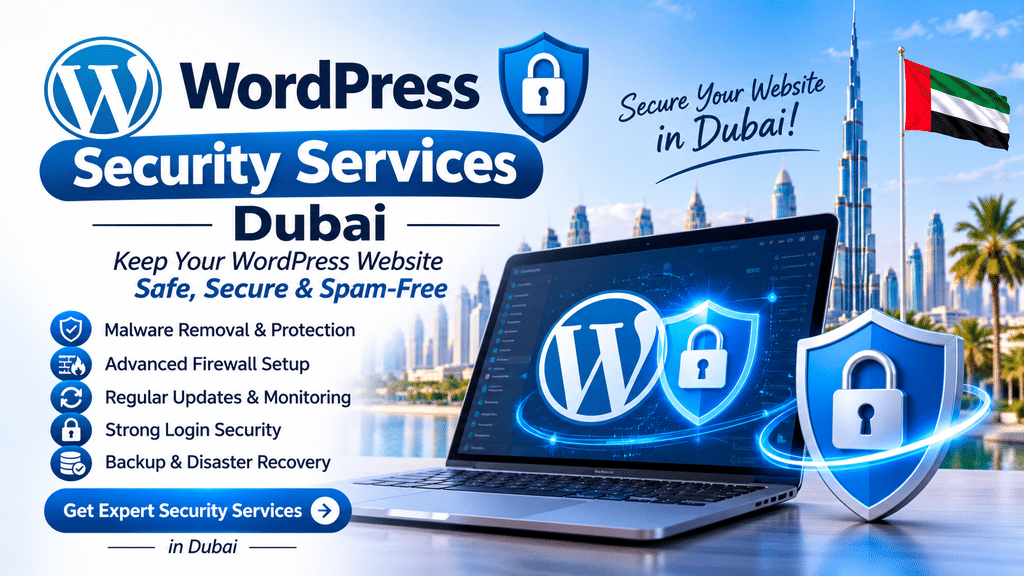
WordPress security services are ongoing, professional protections that keep a WordPress website safe. They typically combine a firewall, malware scanning and removal, software updates, backups, uptime monitoring and expert support. A typical plan covers scanning and removal, firewall protection, hardening, updates, backups, monitoring, vulnerability checks and spam protection. In short, they find threats early, block attacks and fix problems quickly if something goes wrong. seahawkmedia
Why WordPress Websites Are Attacked So Often
WordPress powers a huge share of the internet, so attackers build automated tools aimed at it. They don’t pick targets by size or fame. Bots scan thousands of sites an hour looking for one weak plugin, one old password or one missed update.
The numbers show how serious this is:
- Patchstack’s 2026 report counted 11,334 vulnerabilities in a single year, and 91% of them were in plugins. colorlib
- Only six vulnerabilities were reported in WordPress core, and all were low priority. The platform itself is solid. The risk sits in the add-ons around it. patchstack
- About 46% of vulnerabilities had no patch available when they were disclosed. Updating alone isn’t a full defense. colorlib
- The median time to first mass exploitation was five hours. Attackers move faster than most site owners can react. dev
If you want to dig into the data, read the Patchstack State of WordPress Security report. The takeaway is simple: a “set it and forget it” approach no longer works.
What Do WordPress Security Services Include?
Different providers package their offers differently, but a solid service covers the following areas.
1. Malware Scanning and Removal
Scheduled scans look for malicious code, hidden backdoors, spam injections and suspicious redirects. If something is found, a good provider cleans it safely and finds the entry point so the same attack can’t repeat.
2. Web Application Firewall (WAF)
A WordPress firewall filters traffic before it reaches your site. It blocks brute-force login attempts, bad bots and known exploit patterns. It also gives “virtual patching” while you wait for a plugin developer to release a fix.
3. Security Hardening
Hardening means tightening WordPress beyond its default settings. Common steps include:
- Limiting login attempts and enforcing strong passwords
- Disabling the built-in file editor
- Protecting sensitive files like wp-config.php
- Removing unused plugins, themes and user accounts
- Setting correct file permissions
The official WordPress hardening guide lists many of these measures.
4. Updates for Core, Plugins and Themes
Outdated software is one of the biggest causes of hacked sites. Managed services apply updates on a schedule and test them first, so an update doesn’t break your layout or checkout.
5. Backups You Can Actually Restore
Backups are your safety net. Look for automatic daily backups stored off your server, and for a provider who has tested a restore. A backup you’ve never restored is only a hope.
6. Uptime and Activity Monitoring
Monitoring alerts you the moment your site goes down, changes unexpectedly or shows suspicious login activity. Early alerts turn a disaster into a minor fix.
7. Security Audits and Vulnerability Checks
A WordPress security audit reviews your plugins, themes, user roles, server settings and code for weak spots. It ends with a prioritized list of fixes, so you know what to do first.
8. Incident Response and Support
When something goes wrong, you need a human. Good services offer fast response, clear communication and a written report of what happened and what was done.
One-Time Fix, Managed Service or Plugin Only?
Not every site needs the same level of protection. Here are the three common options.
Security plugins only. Plugins such as Wordfence or Jetpack give you scanning and firewall features at low cost. They suit hobby sites and small blogs, provided you read the alerts and act on them yourself.
One-time cleanup or audit. This is the right choice if your site was hacked, or if you want an expert check before launch. It solves today’s problem but doesn’t watch your site tomorrow.
Managed WordPress security services. A provider monitors, updates and protects your site on an ongoing basis. This is the best fit for businesses, online stores and any site where downtime costs money.
Many sites start with an audit and then move to ongoing care once they see how much needs attention.
Who Needs WordPress Security Services?
You should seriously consider professional protection if you:
- Run an online store or take payments
- Collect leads, bookings or customer data through forms
- Depend on organic traffic and can’t afford a Google warning
- Use many plugins or a heavily customized theme
- Manage client websites as an agency or freelancer
- Don’t have time to check updates and alerts weekly
If your site is a simple brochure page with few plugins, a good plugin and disciplined habits may be enough. Once revenue, reputation or customer trust depends on the site, a managed service is usually cheaper than a recovery.
7 Warning Signs Your WordPress Site May Be Hacked
Many infections stay quiet for weeks. Watch for these signals:
- Visitors are redirected to unfamiliar or spammy websites
- Google shows a “This site may be hacked” or “Deceptive site” warning
- Unknown admin users appear in your dashboard
- Your site suddenly becomes slow, or your host suspends it
- Strange pages, links or pharmacy and casino keywords appear in search results
- Files change when you haven’t touched them
- Your emails land in spam or your hosting provider reports outgoing spam
If you see any of these, don’t panic and don’t delete things at random. Back up the site as it is, change all passwords, and contact a professional. Google also publishes a helpful guide to fixing hacked sites that explains how to request a review after cleanup.
How to Choose the Right WordPress Security Provider
Use this simple process to compare options:
- Define what you’re protecting. List your site type, traffic, plugins and what an hour of downtime costs you.
- Check the service scope. Make sure the plan includes malware removal, a firewall, backups and monitoring, not just scanning.
- Ask about response time. Find out how quickly they respond to a hack and whether support is a real person.
- Look for proof. Case studies, verifiable reviews and clear references matter more than big promises.
- Confirm backup and restore practices. Ask where backups are stored and how often they’re tested.
- Request transparent pricing. Avoid vague “contact us” quotes with hidden add-ons for cleanups.
- Ask about reporting. Monthly reports show you the value you’re paying for.
Questions to Ask Before You Sign
- Do you clean hacked sites, or only prevent attacks?
- Will you find and close the original entry point?
- Do you test updates before applying them to my live site?
- Who has access to my site, and how is that access protected?
- What happens if a plugin I rely on has an unpatched vulnerability?
Honest, specific answers are a good sign. Vague answers aren’t.
A Practical WordPress Security Checklist You Can Start Today
Even with professional help, good habits matter. These steps cost little and block many common attacks:
- Use unique, long passwords and a password manager
- Turn on two-factor authentication for every admin account
- Avoid the username “admin”
- Delete plugins and themes you don’t use
- Install plugins only from trusted sources with recent updates
- Keep WordPress core, plugins and themes updated
- Choose a reputable host that offers current PHP versions
- Install an SSL certificate and force HTTPS
- Limit admin accounts to the people who truly need them
- Schedule automatic offsite backups
For a broader look at the tools on the market, you can also compare options in Jetpack’s overview of WordPress security services and Wordfence’s service breakdown.
How Much Do WordPress Security Services Cost?
Prices vary widely, and any provider who quotes a single number without asking about your site should make you cautious. The main factors are:
- Number of sites: Protecting one site costs less per site than protecting ten.
- Site complexity: Stores, membership sites and custom-coded sites need more attention than simple blogs.
- Service level: Monitoring only is cheaper than monitoring plus cleanup, support and reporting.
- Response time: Faster, around-the-clock support costs more.
- Starting condition: A site that’s already infected needs a cleanup before ongoing protection begins.
Compare the price against what a hack really costs: lost sales, lost rankings, emergency cleanup fees and damaged customer trust. For most businesses, prevention is the cheaper path.
WordPress Security and SEO: Why They’re Connected
Security isn’t only an IT topic. It directly affects your search visibility. Hacked sites can be flagged by Google, lose rankings or be removed from results. Spam pages injected by attackers can drain your authority, and slow, infected pages push visitors away.
Protecting your site protects the traffic you’ve worked to earn. That’s why security belongs in every serious SEO plan, alongside content and technical optimization.
Common WordPress Security Mistakes to Avoid
- Skipping updates because “it might break something.” Test them instead of avoiding them.
- Using nulled or pirated themes and plugins. They often arrive with hidden malware.
- Relying on a single plugin and ignoring its alerts.
- Keeping backups on the same server as the site. If the server is compromised, so are the backups.
- Sharing one admin login among several people.
- Waiting until after a hack to take security seriously.
How We Approach WordPress Security at Riaz Dadu
At riazdadu.com, we treat security as part of building and growing a website, not an afterthought. Our approach follows a clear sequence:
- Audit: We review your plugins, themes, users, hosting setup and current risks.
- Clean and fix: We remove malware, patch weak points and close the entry point.
- Harden: We tighten settings, permissions and login protection.
- Protect: We set up firewall rules, backups and monitoring.
- Maintain: We keep updates, scans and reports on a regular schedule.
If you’re also improving your site’s speed, design or search visibility, explore our web development and digital marketing services or read more on the Riaz Dadu blog.
Conclusion: Don’t Wait for a Hack to Take Security Seriously
WordPress itself is a secure platform, but plugins, outdated software and weak habits leave doors open. Attackers exploit those doors quickly, often within hours. Professional WordPress security services give you layered protection, constant monitoring and an expert to call when something goes wrong.
Start with an honest look at how much your website matters to your business. If the answer is “a lot,” invest in protection now. Ready to secure your site? Contact us today for a security review and a clear plan for your WordPress website.
Frequently Asked Questions About WordPress Security Services
1. What are WordPress security services?
They are professional services that protect a WordPress site through firewalls, malware scanning and removal, updates, backups, monitoring and expert support. The goal is to prevent attacks and recover quickly if one happens.
2. Is WordPress secure?
WordPress core is generally secure and is maintained by a dedicated security team. Most problems come from vulnerable plugins and themes, weak passwords and outdated software, which is why ongoing protection matters.
3. How do I know if my WordPress site has been hacked?
Common signs include unexpected redirects, unknown admin users, Google security warnings, spam content in search results, sudden slowdowns and files that changed without your input.
4. Do WordPress security services remove malware?
Many do, but not all. Some only monitor and alert. Confirm that your plan includes cleanup and that the provider also finds how the attacker got in.
5. How much do WordPress security services cost?
Cost depends on the number of sites, their complexity, the service level and response time. Monitoring-only plans cost less than managed plans with cleanup and support. Ask for a quote based on your actual site.
6. Is a security plugin enough?
For a small, low-risk site, a reputable plugin plus good habits can be enough. For stores, lead-generation sites and business-critical websites, a managed service adds expert review, cleanup and faster response.
7. How often should I update WordPress?
Update core, plugins and themes as soon as stable releases are available, ideally within days and faster for security fixes. Test on a staging copy when possible.
8. Can hacked websites lose Google rankings?
Yes. Google can flag or demote compromised sites, and injected spam content can hurt trust and visibility. Prompt cleanup and a review request help recover.
9. What’s the difference between hardening and a firewall?
Hardening reduces weaknesses inside your site, such as file permissions and login rules. A firewall blocks malicious traffic before it reaches the site. You need both.
10. How do I choose a WordPress security provider?
Compare the scope of services, response time, backup practices, reporting and pricing transparency. Look for verifiable reviews, and ask how they handle both prevention and recovery.